ocp_logo Installation Of Oracle 11g R1 (11.1.0.6) Real Application Cluster (RAC) Software on   CentOS EL 4 Update 5 x86 for ASM_HOME
By Bhavin Hingu

<<PREV                         <<HOME>>                       NEXT>>

                                                                                                                                                                                                                                                   
This document explains the step by step process of installing Oracle 11g Real Application Cluster (RAC) with OUI.

     Installing Oracle 11g R1 (11.1.0.6) Real Application Cluster
  (RAC)
Software 32-bit on CentOS EL 4 Update 5 (ASM_HOME)

It is always recommended to install RAC bineries in atleast two different HOMEs one for ASM and another for DB homes.
Lets start Installing RAC bineries for ASM_HOME.

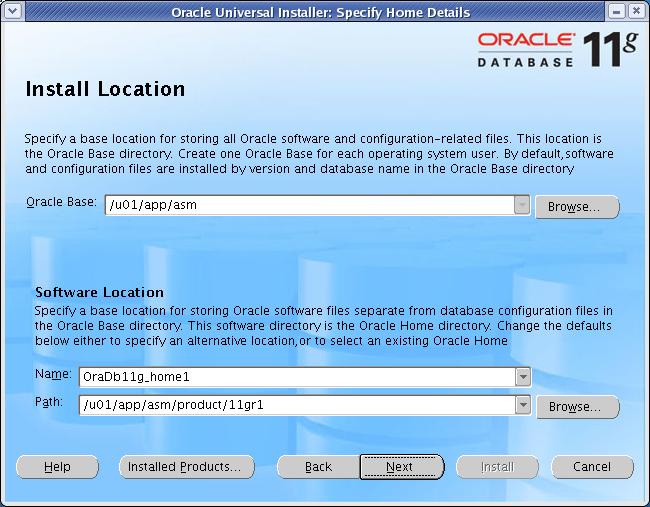
set ORACLE_BASE to /u01/app/asm for this installation.

Start the runInstaller command as oracle user from any one node When OUI displays the Welcome page, click Next

[oracle@node1-pub ~]$ export ORACLE_BASE=/u01/app/asm
[oracle@node1-pub ~]$ 11g_database/database/runInstaller

         Xlib: connection to ":0.0" refused by server
     Xlib: No protocol specified
                                                                                                                             
     Can't connect to X11 window server using ':0.0' as the value of the DISPLAY variable.

        If you get the above error, please execute the below command as root and then start the runInstaller by connecting as oracle.

[root@node1-pub ~]# xhost +
access control disabled, clients can connect from any host
[root@node2-pub ~]# su - oracle
[oracle@node1-pub ~]$ 11g_database/database/runInstaller
-bash: 11g_database/database/runInstaller: Permission denied
[oracle@node1-pub ~]$ ls -l 11g_database/database/runInstaller
-rw-r--r--  1 oracle oinstall 2911 Aug  3 09:28 11g_database/database/runInstaller
[oracle@node1-pub ~]$ chmod u+x 11g_database/database/runInstaller
[oracle@node1-pub ~]$ 11g_database/database/runInstaller
11g_database/database/runInstaller: line 86: /home/oracle/11g_database/database/install/.oui: Permission denied
[oracle@node1-pub ~]$ chmod u+x /home/oracle/11g_database/database/install/.oui
[oracle@node1-pub ~]$ 11g_database/database/runInstaller
Starting Oracle Universal Installer...

Checking Temp space: must be greater than 80 MB.   Actual 131098 MB    Passed
Checking swap space: must be greater than 150 MB.   Actual 601 MB    Passed
Checking monitor: must be configured to display at least 256 colors.    Actual 16777216    Passed
Preparing to launch Oracle Universal Installer from /tmp/OraInstall2007-09-28_05-58-53PM. Please wait ...sh: /home/oracle/11g_database/database/install/unzip: Permission denied
[oracle@node1-pub ~]$ chmod u+x /home/oracle/11g_database/database/install/unzip

Change the permissions of the below file and rerun the runInstaller

chmod u+x /tmp/database/runInstaller
chmod u+x /tmp/database/install/.oui
chmod u+x /tmp/database/install/unzip


welcome screen

Click Next

2

Select "Custom" and Click Next.

3

Click Next

4

Select all the nodes and Click Next

5

At this step, you should not receive any error. If you have configured the Pre-Installation
steps correctly, then you will not get any errors. I get one warning here as you can see which
is complaining about the low memory than required. I had only 512 MB ram and the required memory
is 1GB but I would not worry about this warning and will check the status box.

Click Next

6


Click Next

7

Leave the Default values (dba, dba, dba) and
Click Next

8

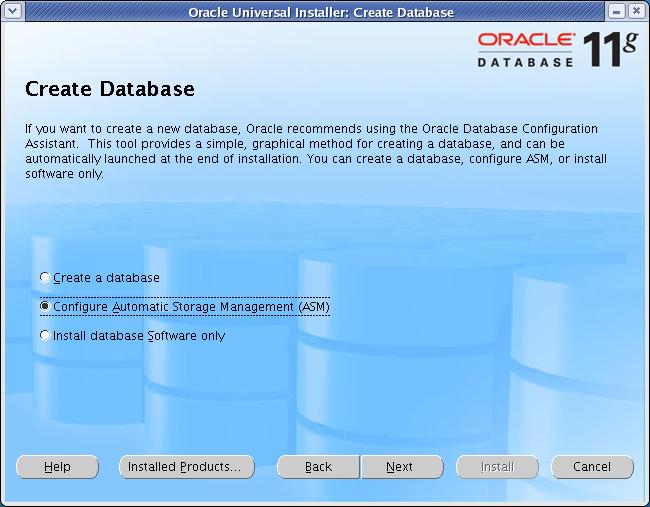
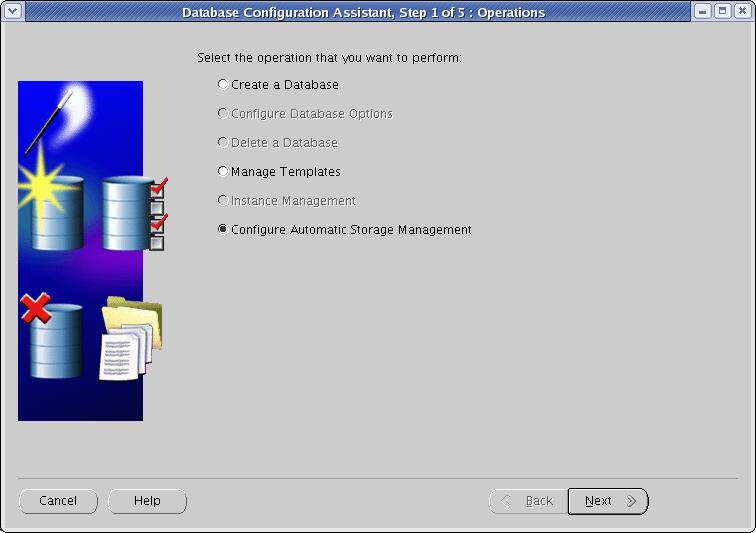
Select "Configure Automatic Storage Management" and
Click Next

9

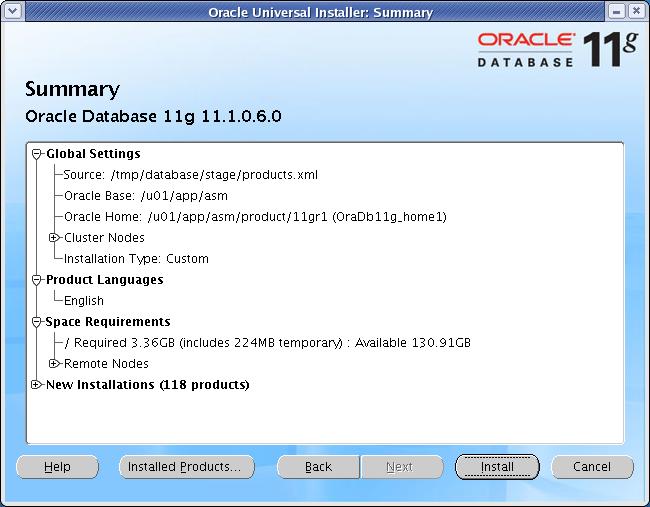
Click Install

10

11

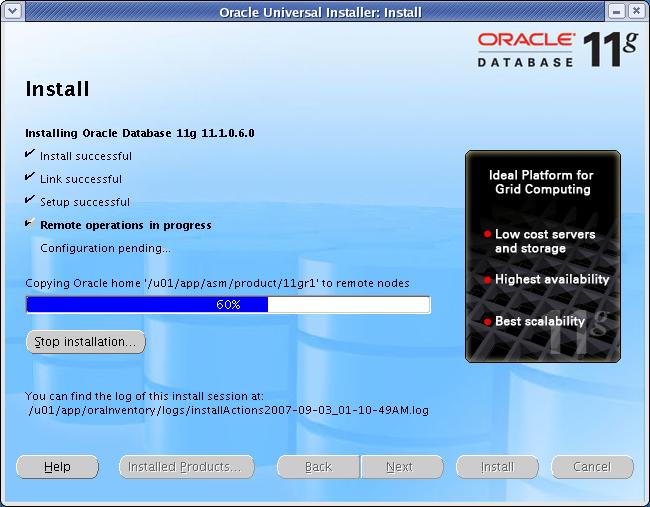
Execute the mentioned script on all the nodes.

12


13


Click Exit


16

17

Click Exit

18

20

ORA-00845: MEMORY_TARGET not supported on this system

MEMORY_TARGET or MEMORY_MAX_TARGET, cannot be greater than the shared memory filesystem (/dev/shm) on your operating system.

For example, if the shared memory filesystem allocation on your system is 1 GB, but you set Memory Size (MEMORY_TARGET) to 2 GB, then you
receive the above error during instance startup:

So, I decided to create the ASM instances manually and setting MEMORY_TARGET init.ora parameter to 0. OK to this window and 'Cancel" the operation
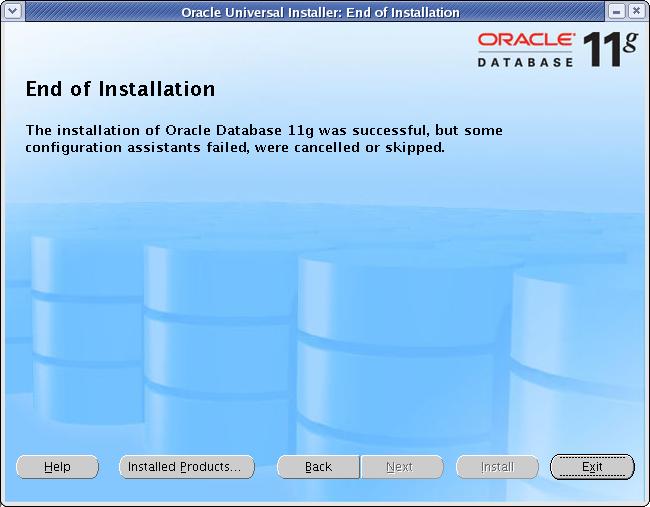
to Exit out from dbca.  Simply run the root.sh scripts when promted by next window and exit out from runInstaller. The installation is considered successful
but I needed to configure ASM instance manually.


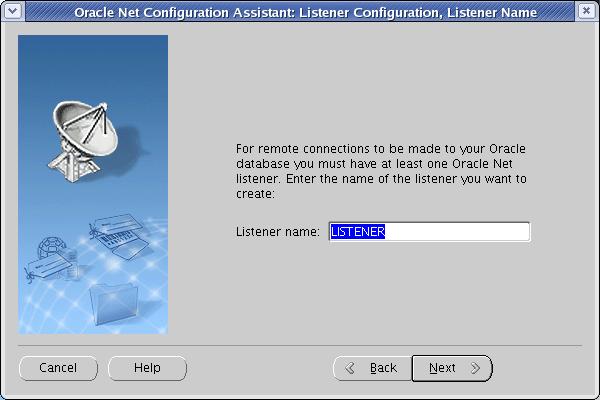
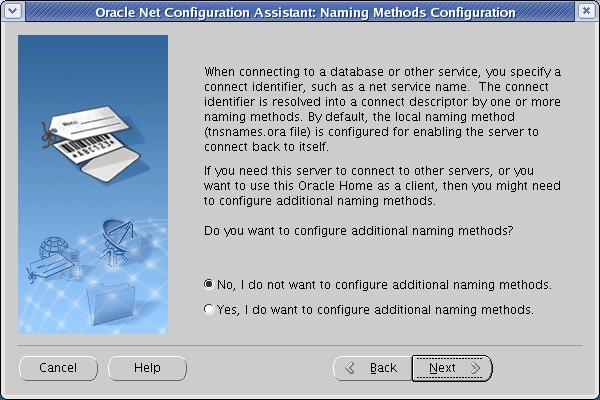
23

24

CREATE ASM Instance Manually:

[oracle@node1-pub dbs]$ orapwd file=orapw+ASM1 password=ChangeIt entries=5
[oracle@node1-pub dbs]$
 
[oracle@node1-pub dbs]$ cat init+ASM.ora
instance_type=asm
+ASM1.instance_name=+ASM1
+ASM2.instance_name=+ASM2
MEMORY_TARGET=0
cluster_database_instances=2
cluster_database=true
+ASM1.instance_number=1
+ASM2.instance_number=2
remote_login_passwordfile='SHARED'
 
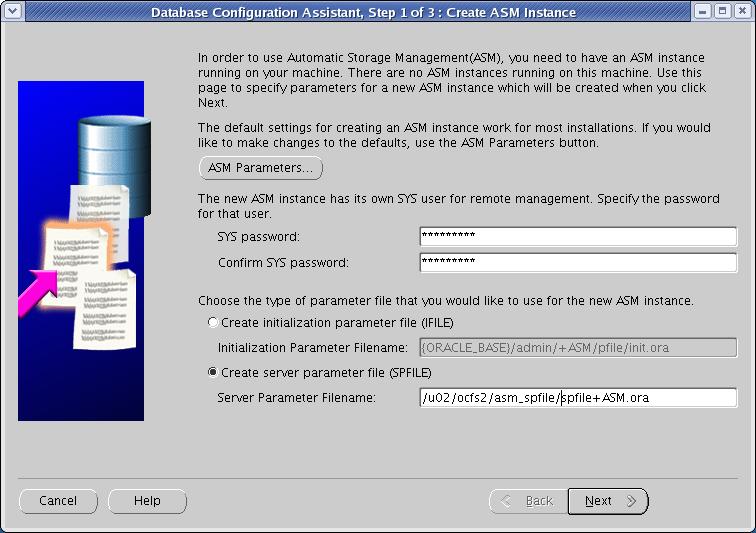
SQL> create spfile='/u02/ocfs2/asm_spfile/spfile+ASM.ora' from pfile='/u01/app/asm/product/11gr1/dbs/init+ASM.ora';
 
File created.
 
Update the init+ASM1.ora and init=ASM2.ora to add the pointer to the spfile.
 
[oracle@node2-pub dbs]$ cat init+ASM2.ora
SPFILE='/u02/ocfs2/asm_spfile/spfile+ASM.ora'
[oracle@node2-pub dbs]$

[oracle@node2-pub pfile]$ srvctl add asm -n node1-pub -i +ASM1 -o /u01/app/asm/product/11gr1 -p /u02/ocfs2/asm_spfile/spfile+ASM.ora
[oracle@node2-pub pfile]$ srvctl add asm -n node2-pub -i +ASM2 -o /u01/app/asm/product/11gr1 -p /u02/ocfs2/asm_spfile/spfile+ASM.ora
 
[oracle@node2-pub pfile]$ srvctl enable asm -n node1-pub -i +ASM1
[oracle@node2-pub pfile]$ srvctl enable asm -n node2-pub -i +ASM2
 
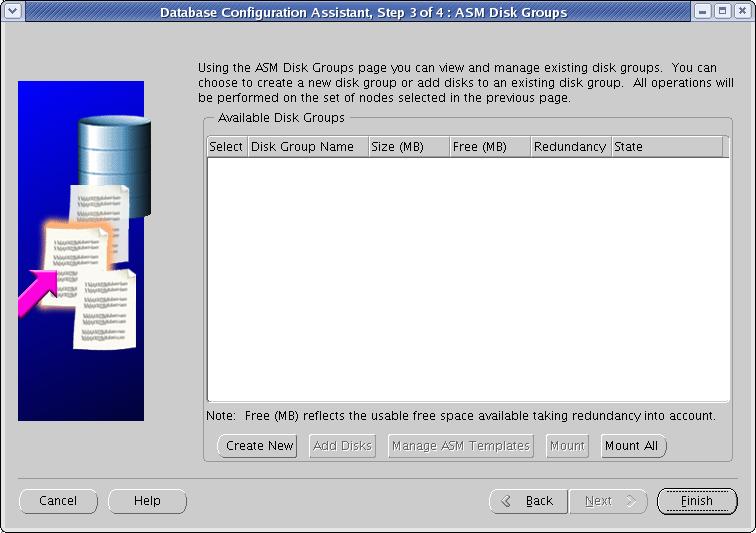
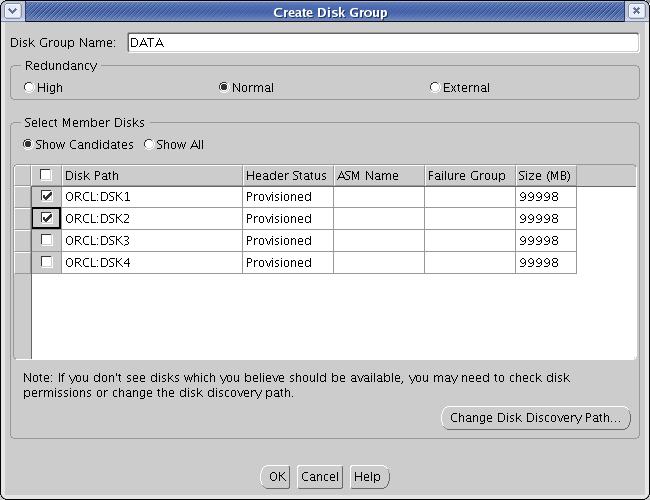
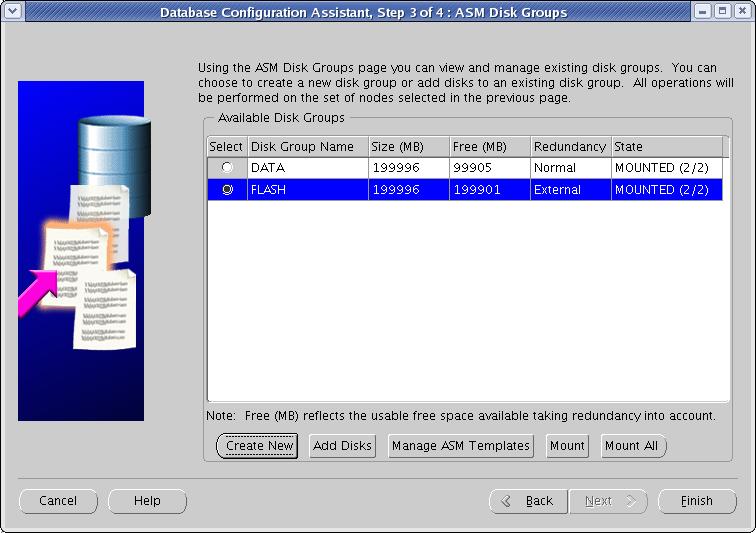
Run the dbca again to add/create disk groups to the ASM instance.

[oracle@node1-pub ~]$ /u01/app/asm/product/11gr1/bin/dbca

24

25


27

28

29

30

Click "Finish" to exit out from dbca.
Verify that LISTENER and ASM instances are up and running and are properly registered with CRS.


CRS STACK STATUS AFTER THE INSTALLATION AND CONFIGURATION OF ASM
================================================================
 
[oracle@node2-pub dbs]$ crs_stat -t
Name           Type           Target    State     Host       
------------------------------------------------------------
ora....SM1.asm application    ONLINE    ONLINE    node1-pub  
ora....UB.lsnr application    ONLINE    ONLINE    node1-pub  
ora....pub.gsd application    ONLINE    ONLINE    node1-pub  
ora....pub.ons application    ONLINE    ONLINE    node1-pub  
ora....pub.vip application    ONLINE    ONLINE    node1-pub  
ora....SM2.asm application    ONLINE    ONLINE    node2-pub  
ora....UB.lsnr application    ONLINE    ONLINE    node2-pub  
ora....pub.gsd application    ONLINE    ONLINE    node2-pub  
ora....pub.ons application    ONLINE    ONLINE    node2-pub  
ora....pub.vip application    ONLINE    ONLINE    node2-pub  
[oracle@node2-pub dbs]$

[oracle@node1-pub ~]$ export ORACLE_SID=+ASM1
[oracle@node1-pub ~]$ export ORACLE_HOME=/u01/app/asm/product/11gr1
[oracle@node1-pub ~]$ asmcmd
ASMCMD> ls
DATA/
FLASH/
ASMCMD> lsdg
State    Type    Rebal  Sector  Block       AU  Total_MB  Free_MB  Req_mir_free_MB  Usable_file_MB  Offline_disks  Name
MOUNTED  NORMAL  N         512   4096  1048576    199996   199810                0           99905              0  DATA/
MOUNTED  EXTERN  N         512   4096  1048576    199996   199901                0          199901              0  FLASH/
ASMCMD>


<<PREV                         <<HOME>>                       NEXT>>